Add Individual Mods
Add mods to your Forge, Fabric, or NeoForge server. You can search and install mods directly from the panel.
Mods require a mod loader (Forge/Fabric) and change gameplay. Players need the same mods installed.
Plugins are server-side only (Paper/Spigot) and players don't need to install anything.
Before You Start
Make sure your server is running a mod loader:
- Forge - Most popular, huge mod library
- Fabric - Lightweight, fast updates
- NeoForge - Modern Forge fork (1.20.1+)
If you're running vanilla or Paper, you need to install a modpack or switch to a mod loader first.
Install Mods from the Panel
-
Open the Mods Tab
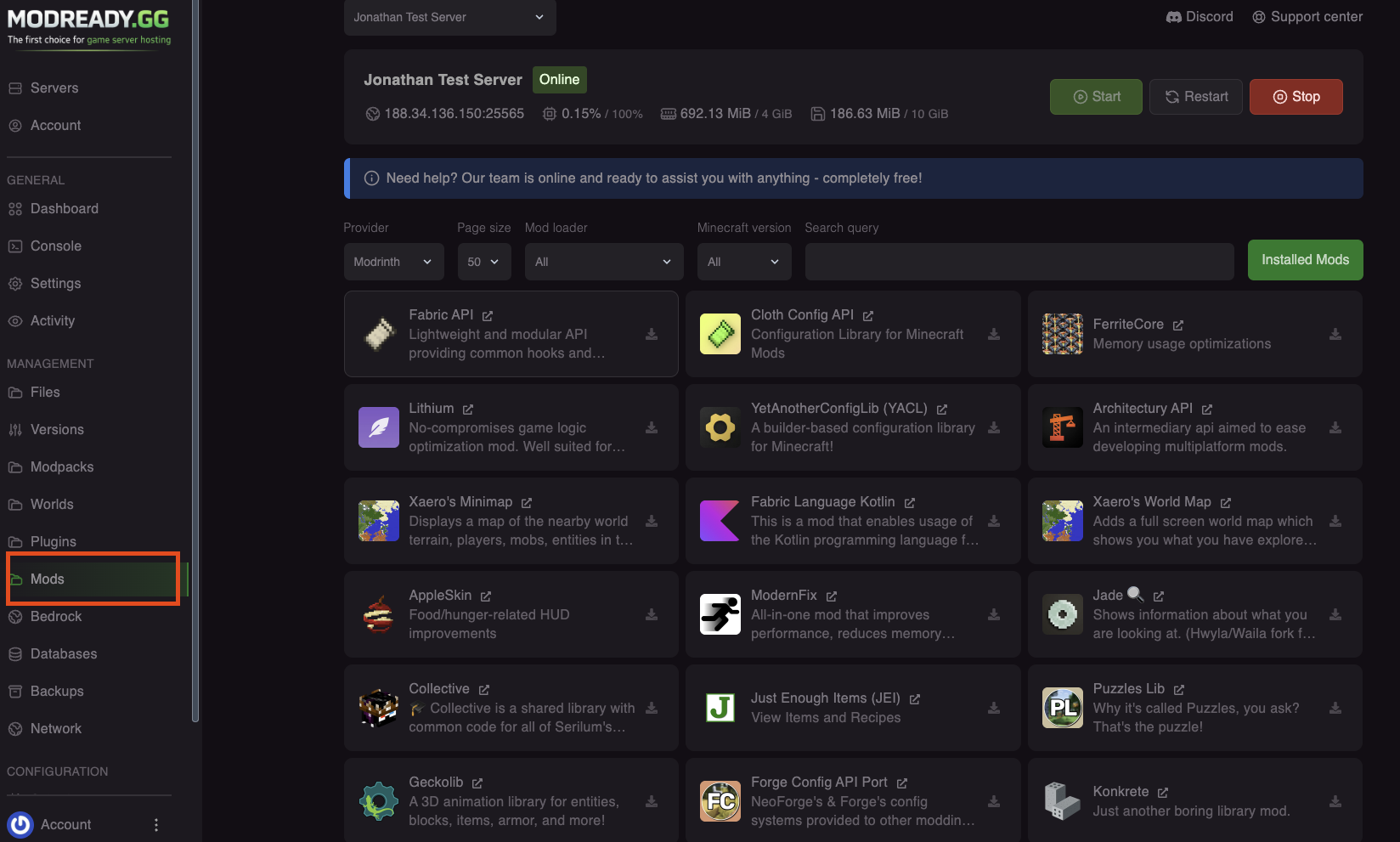
In your server dashboard, click Mods in the left sidebar.
-
Search for a Mod
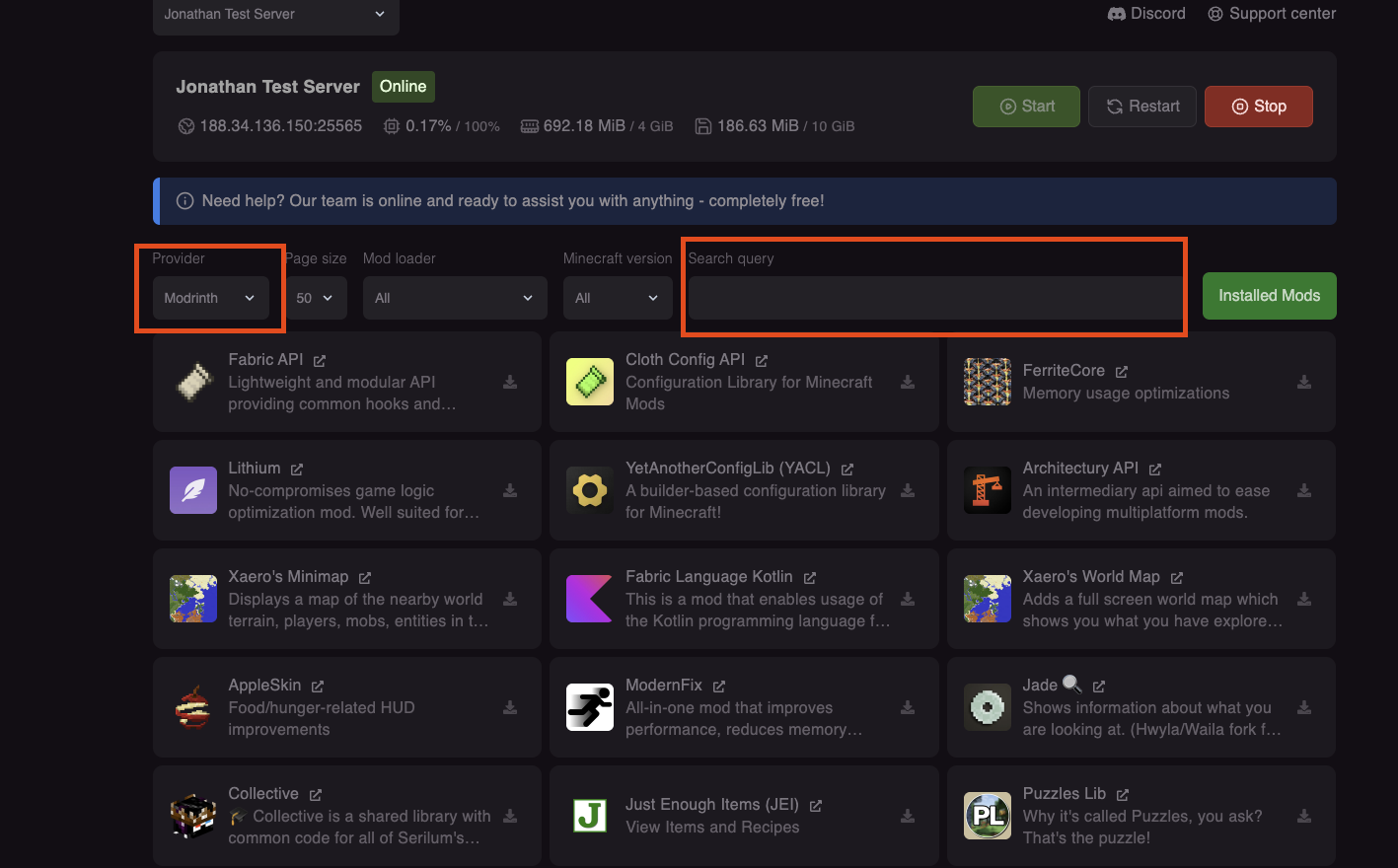
Use the search bar to find mods. Results come from CurseForge and Modrinth.
-
Check Compatibility
Make sure the mod supports:
- Your Minecraft version
- Your mod loader (Forge/Fabric/NeoForge)
⚠️ Version matters!A Fabric mod won't work on Forge, and a 1.20.1 mod won't work on 1.21. Always check compatibility!
-
Click Install
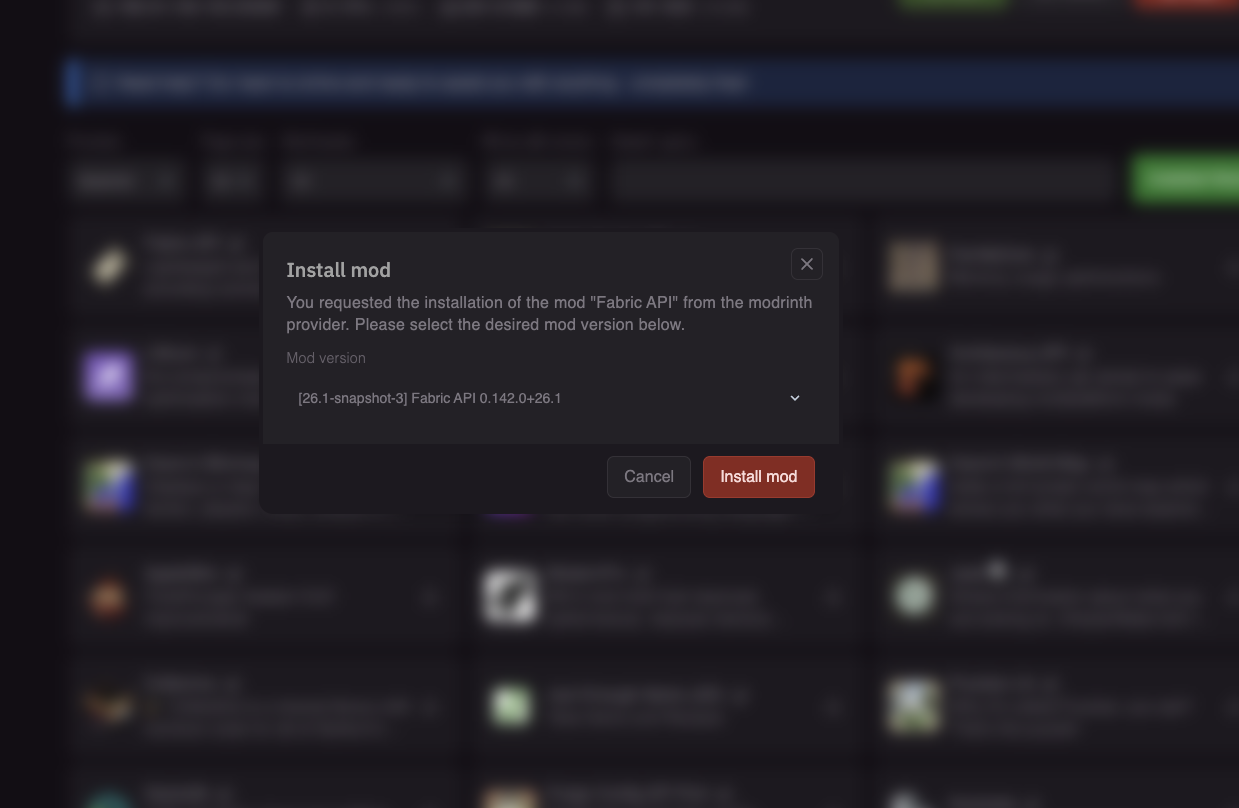
Click Install on the mod you want. The panel will download it to your server's mods folder.
-
Restart Your Server
Go back to the console and click Restart to load the new mod.
Install Mods Manually
If you can't find a mod in the panel, you can upload it manually:
- Download the mod
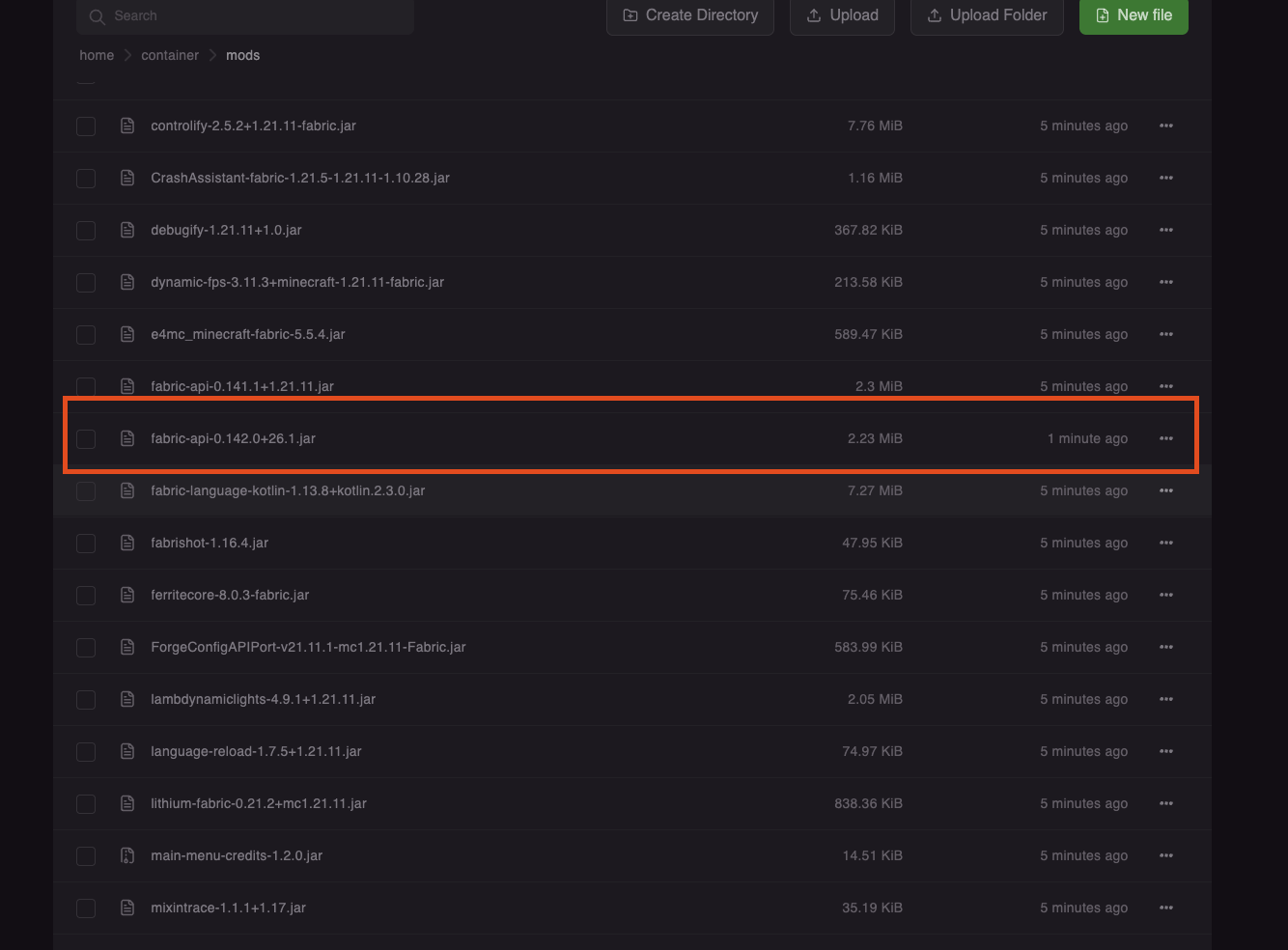
.jarfile from CurseForge or Modrinth - In the panel, go to Files
- Navigate to the
modsfolder - Click Upload and select your .jar file
- Restart the server
Players Need the Same Mods!
When you add mods to your server, all players need to install the same mods on their client to join.
Tell your players to:
- Download the same mods you added
- Put them in their
.minecraft/modsfolder - Use a launcher like CurseForge or Prism Launcher for easier management
Common Mods
| Mod | Loader | Description |
|---|---|---|
| JEI | Forge/Fabric | Recipe viewer - see how to craft everything |
| Simple Voice Chat | Forge/Fabric | Proximity voice chat |
| Create | Forge | Mechanical contraptions and automation |
| Sodium | Fabric | Performance optimization (client-side) |
| Cobblemon | Fabric/Forge | Pokemon in Minecraft |
| Origins | Fabric | Choose an origin with unique abilities |
Troubleshooting
Server crashes after adding a mod
- Remove the mod from the
modsfolder via Files - Check if the mod requires dependencies (other mods)
- Verify the mod version matches your Minecraft version
"Missing mods" when connecting
- Players need to install the same mods on their client
- Some mods are server-side only (check the mod's description)
Mod not loading
- Make sure the file is a
.jar(not .zip) - Check it's in the
modsfolder, not a subfolder - Verify you restarted the server after adding it
Need help with mods? Join our Discord!