Add Plugins
Add plugins to your Paper, Spigot, or Bukkit server. Plugins are server-side - players don't need to install anything!
Plugins only run on the server. Players connect with vanilla Minecraft - no client modifications needed!
Mods require both server and client installation.
Requirements
Plugins only work on these server types:
- Paper (recommended) - Fast, optimized, most plugin compatible
- Spigot - Original plugin server
- Purpur - Paper fork with extra features
Plugins do NOT work on Vanilla, Forge, or Fabric servers.
Install Plugins from the Panel
-
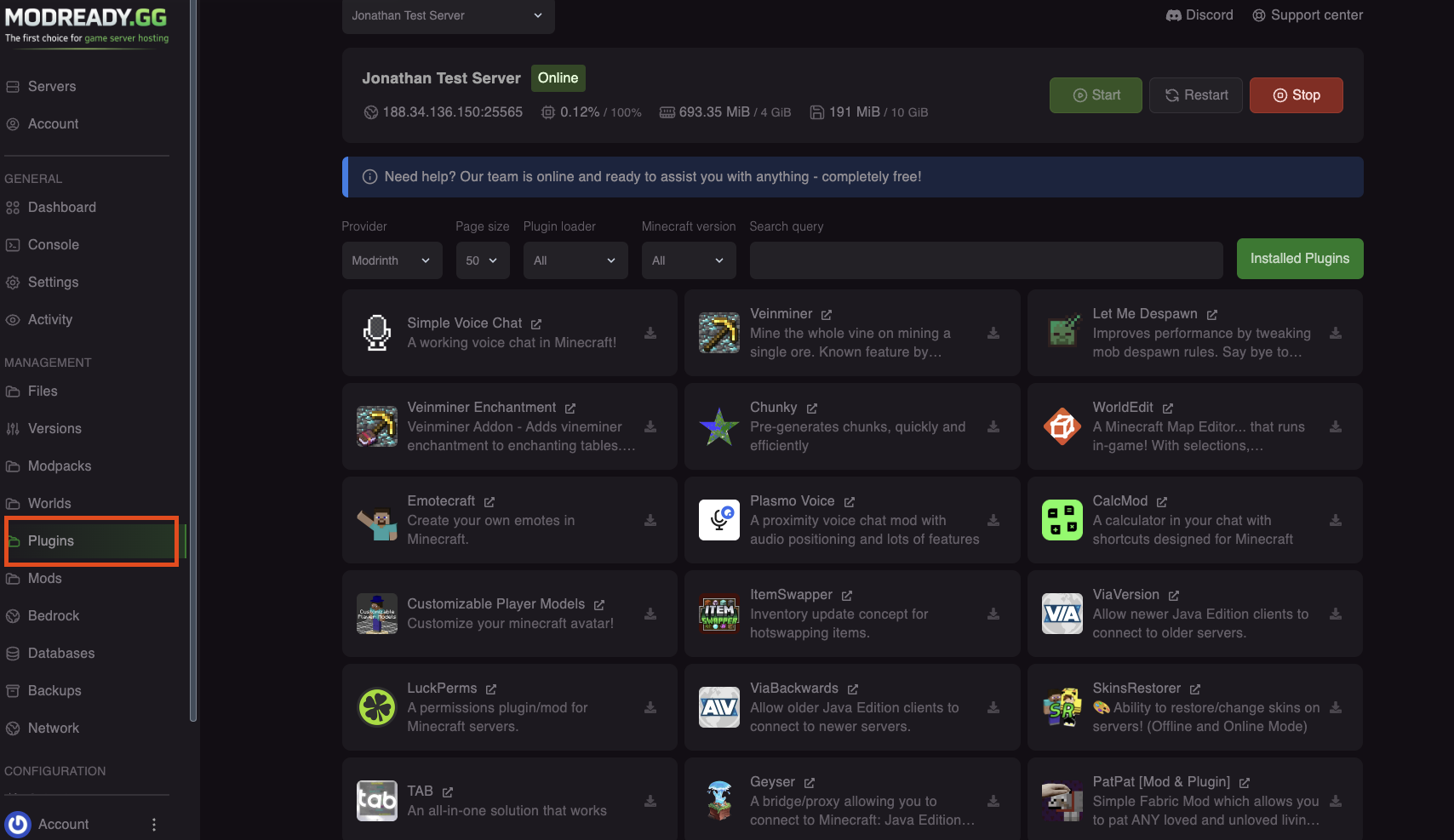
Open the Plugins Tab
In your server dashboard, click Plugins in the left sidebar.
-
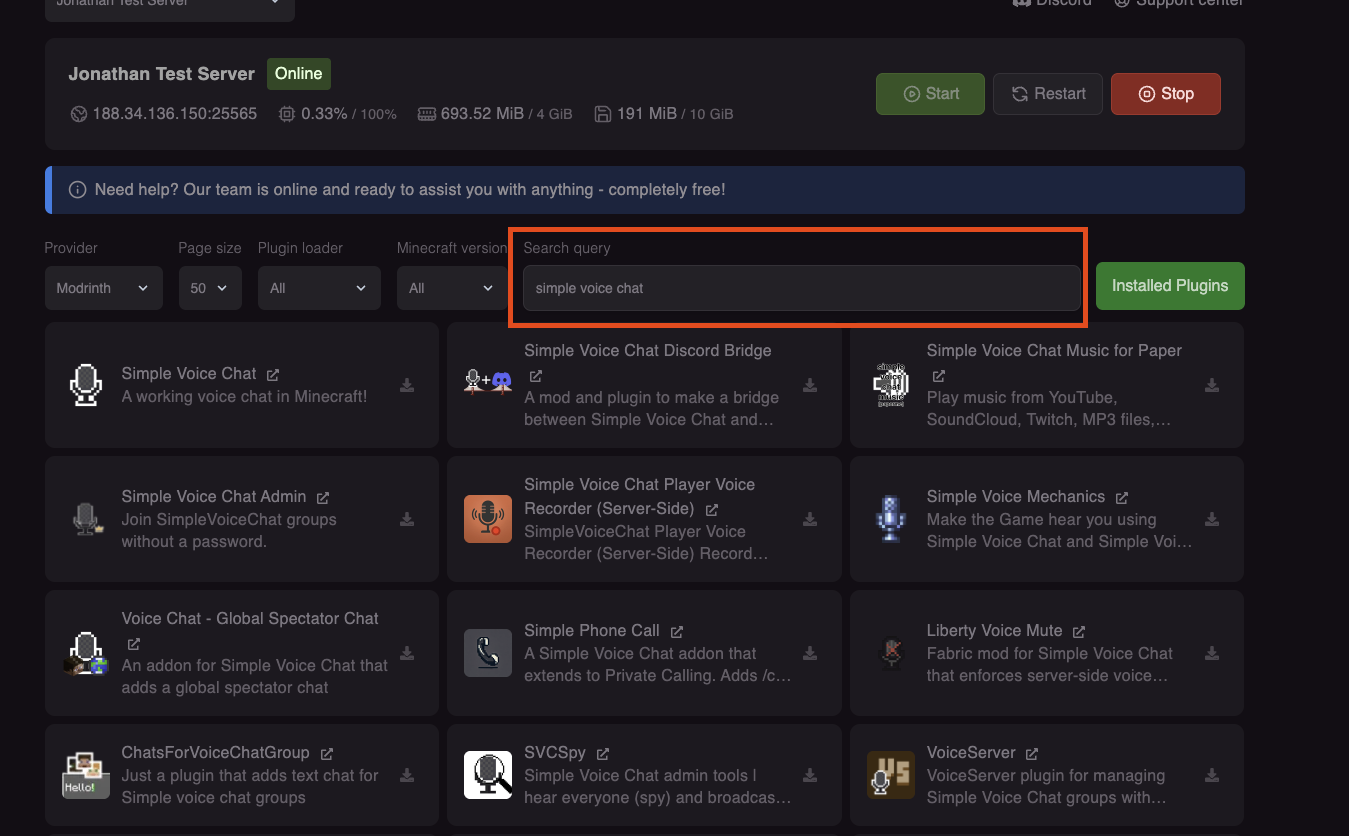
Search for a Plugin
Use the search bar to find plugins. Results come from SpigotMC, Modrinth, Hangar, and more.
-
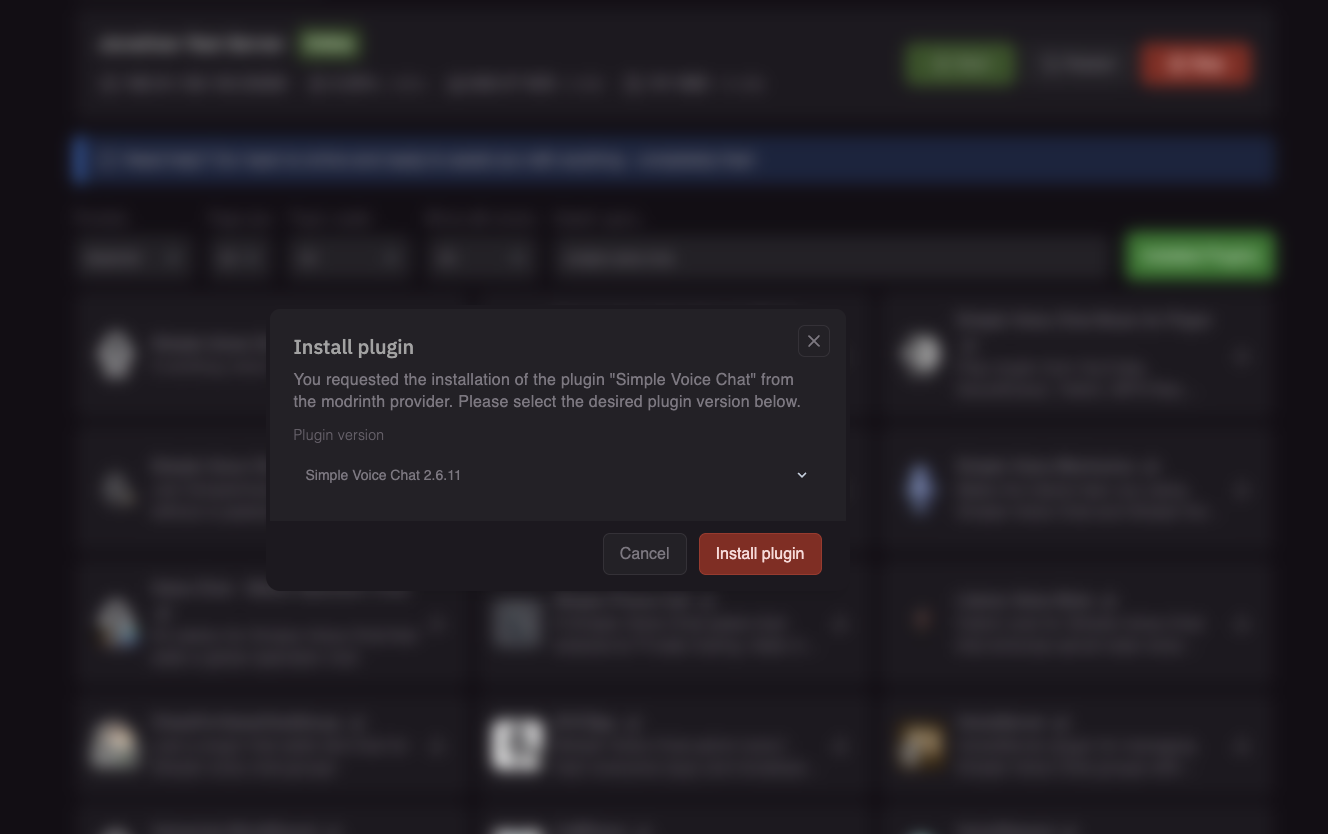
Click Install
Click Install on the plugin you want. It will be downloaded to your plugins folder.
-
Restart Your Server
Restart the server to load the new plugin.
Install Plugins Manually
For plugins not in the panel (like premium plugins):
- Download the plugin
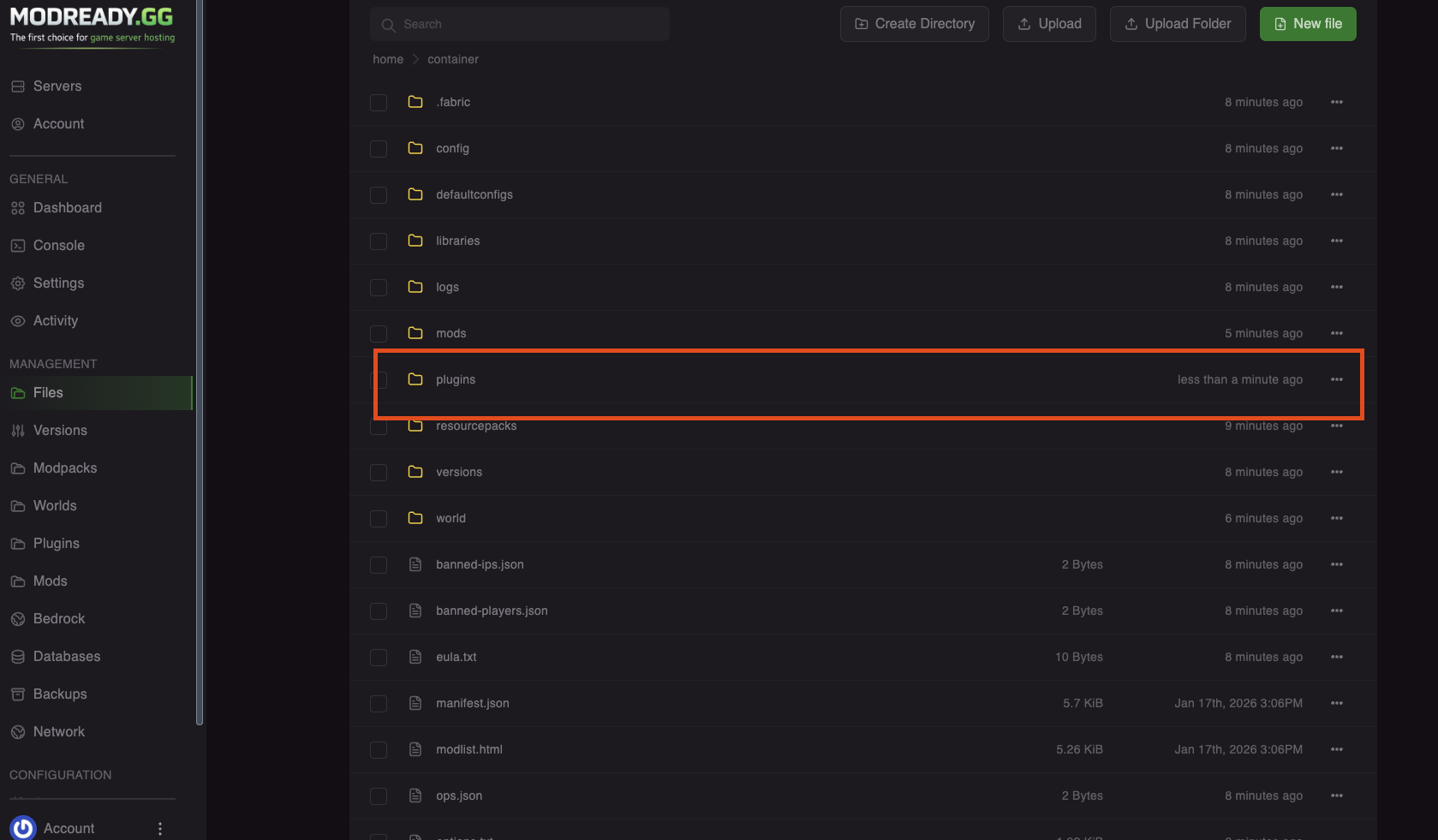
.jarfile from SpigotMC, Hangar, or Modrinth - In the panel, go to Files
- Navigate to the
pluginsfolder - Click Upload and select your .jar file
- Restart the server
Popular Plugins
| Plugin | What it does |
|---|---|
| EssentialsX | Home, warp, kits, economy, and tons of commands |
| LuckPerms | Permission management - set ranks and permissions |
| Vault | Economy and permissions API (required by many plugins) |
| WorldEdit | Mass edit blocks - great for building |
| WorldGuard | Protect regions from griefing |
| GriefPrevention | Let players claim land with a golden shovel |
| CoreProtect | Block logging - see who broke/placed blocks |
| Geyser + Floodgate | Let Bedrock players join (see Bedrock Crossplay) |
Configure Plugins
Most plugins create config files when first loaded:
- Go to Files →
plugins - Find the plugin's folder (e.g.,
EssentialsX) - Open
config.yml - Edit settings as needed
- Save and restart the server
📸 SCREENSHOT NEEDEDimages/panel-plugin-config.png
Plugin config file being edited
Config files use YAML format. Be careful with spacing - use spaces, not tabs, and maintain consistent indentation.
Troubleshooting
Plugin not working
- Check console for errors when starting
- Make sure it's compatible with your Minecraft version
- Some plugins need dependencies - check the plugin's page
Server crashes after adding plugin
- Remove the plugin .jar via Files → plugins
- Check if the plugin requires other plugins first
- Make sure you're running Paper/Spigot, not vanilla
"Unknown command" for plugin commands
- The plugin might not have loaded - check console for errors
- You might not have permission - give yourself OP (
op YourName) - Check the plugin's documentation for correct commands
Plugin folder not appearing
- Make sure the plugin loaded without errors
- Some plugins don't create config folders
- Try restarting the server
Need help with plugins? Join our Discord!