Crash Doctor
Automatically diagnose and fix common server issues with one click.
Crash Doctor is ModReady's built-in diagnostic tool that automatically scans your server logs for common problems and can fix many issues automatically. No more reading through confusing error messages!
How to Use Crash Doctor
-
Open Crash Doctor
In your server dashboard, click Crash Doctor in the left sidebar under the Management section.
-
Analyze Your Server
Click the "Analyze Logs" button. Crash Doctor will scan your server logs and crash reports for known issues.
-
Review Issues
Any detected problems will be displayed with:
- Priority level - Critical (red), Warning (yellow), or Info (blue)
- Description - What the problem is and why it matters
- Matched text - The exact error found in your logs
-
Fix Issues
For issues that can be fixed automatically, click the "Auto-Fix" button. For manual fixes, follow the description provided.
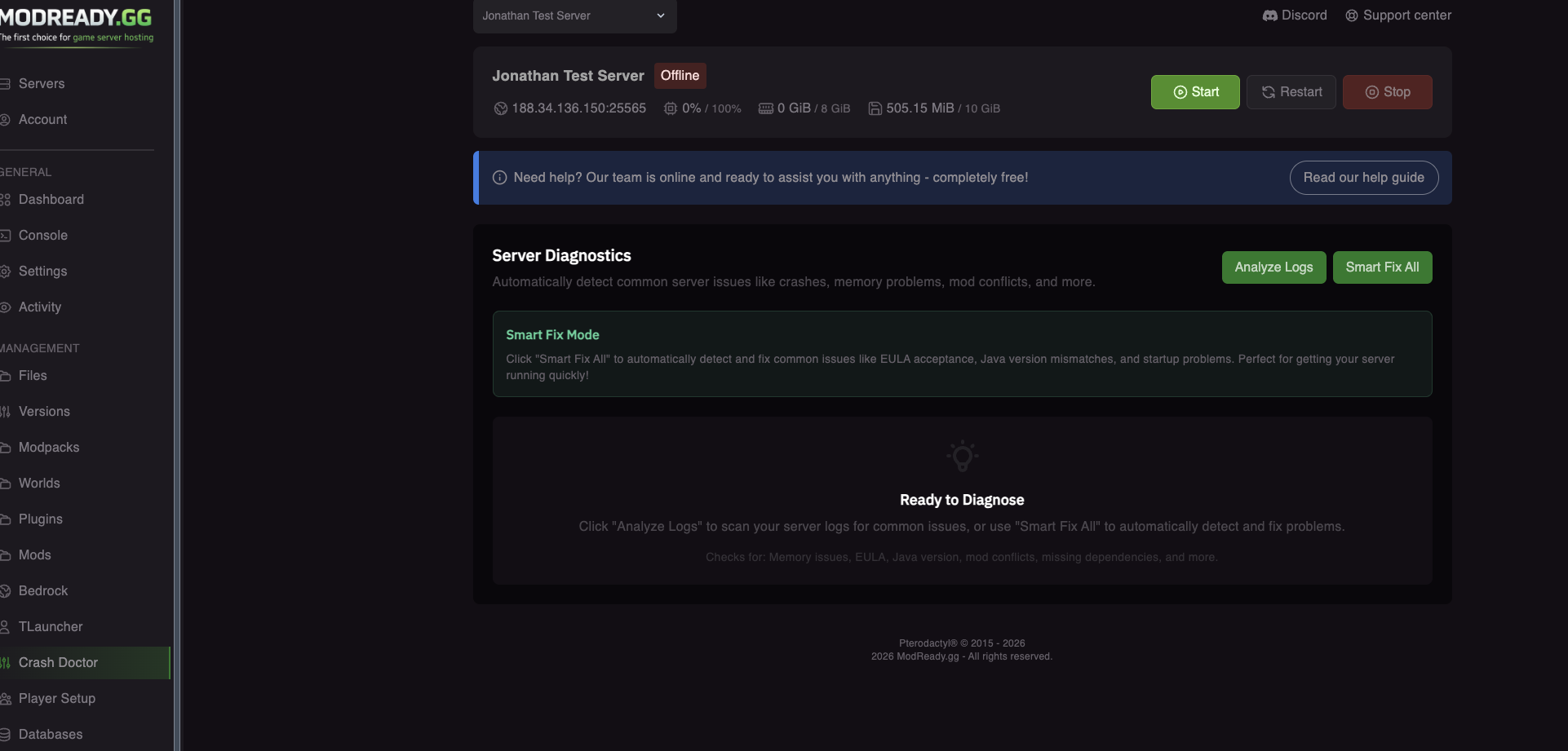
Smart Fix All
Don't want to fix issues one by one? Click the green "Smart Fix All" button to automatically:
- Accept the Minecraft EULA
- Fix Java version mismatches
- Repair startup command errors
- And more!
Just installed a modpack and it won't start? Hit "Smart Fix All" first - it fixes the most common issues automatically!
What Crash Doctor Detects
| Issue | Auto-Fixable? | Description |
|---|---|---|
| Out of Memory | No | Server needs more RAM - consider upgrading your plan |
| EULA Not Accepted | Yes | Minecraft requires EULA acceptance to run |
| Wrong Java Version | Yes | Minecraft version requires different Java |
| Missing Dependencies | No | A mod requires another mod that's not installed |
| Fabric API Missing | Yes | Fabric mods require Fabric API |
| Duplicate Mods | No | Same mod installed twice with different versions |
| Client-Only Mod | Yes | A client-side mod is installed on the server |
| Port Conflict | No | Server port is already in use |
| File Permissions | Yes | Server can't read/write files |
| Corrupted World | No | World data is corrupted - restore from backup |
| Startup Command Error | Yes | Server startup command has syntax error |
| Missing Server JAR | No | Server JAR file not found - reinstall needed |
After Fixing Issues
After Crash Doctor fixes issues:
- Restart your server - Most fixes require a restart to take effect
- Check the console - Watch for any remaining errors during startup
- Run Crash Doctor again - Verify all issues are resolved
Issues like "Out of Memory" or "Corrupted World" can't be auto-fixed. For these, follow the description or contact support for help.
Tips for Best Results
- Run after installing modpacks - Catch issues before they cause problems
- Check after crashes - Crash Doctor reads crash reports automatically
- Use Smart Fix first - It handles the most common issues in one click
- Keep backups - Always have a backup before making major changes
Still Having Issues?
If Crash Doctor can't solve your problem:
- Check the Server Keeps Crashing guide for manual troubleshooting
- Look at Mod Compatibility Issues for mod-specific help
- Join our Discord - Share your server name and we'll help diagnose the issue