TLauncher / Cracked Support
Allow players without a premium Minecraft account to join your server.
Enabling offline mode means anyone can join with any username. Players can impersonate others. Only enable this if you trust all players or use a whitelist.
Enable Offline Mode (Cracked)
-
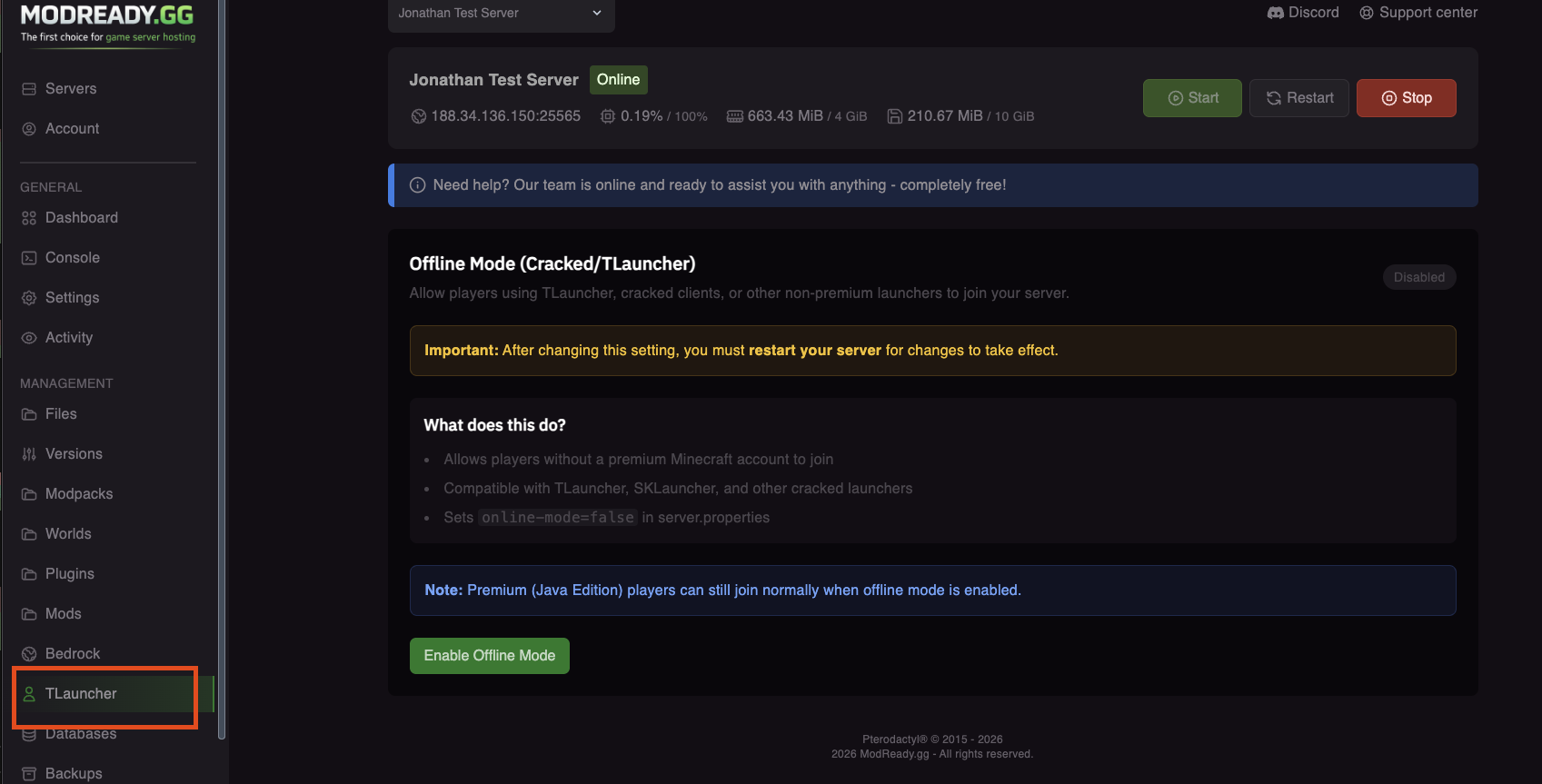
Open the TLauncher Tab
In your server dashboard, click TLauncher in the left sidebar under Management.
-
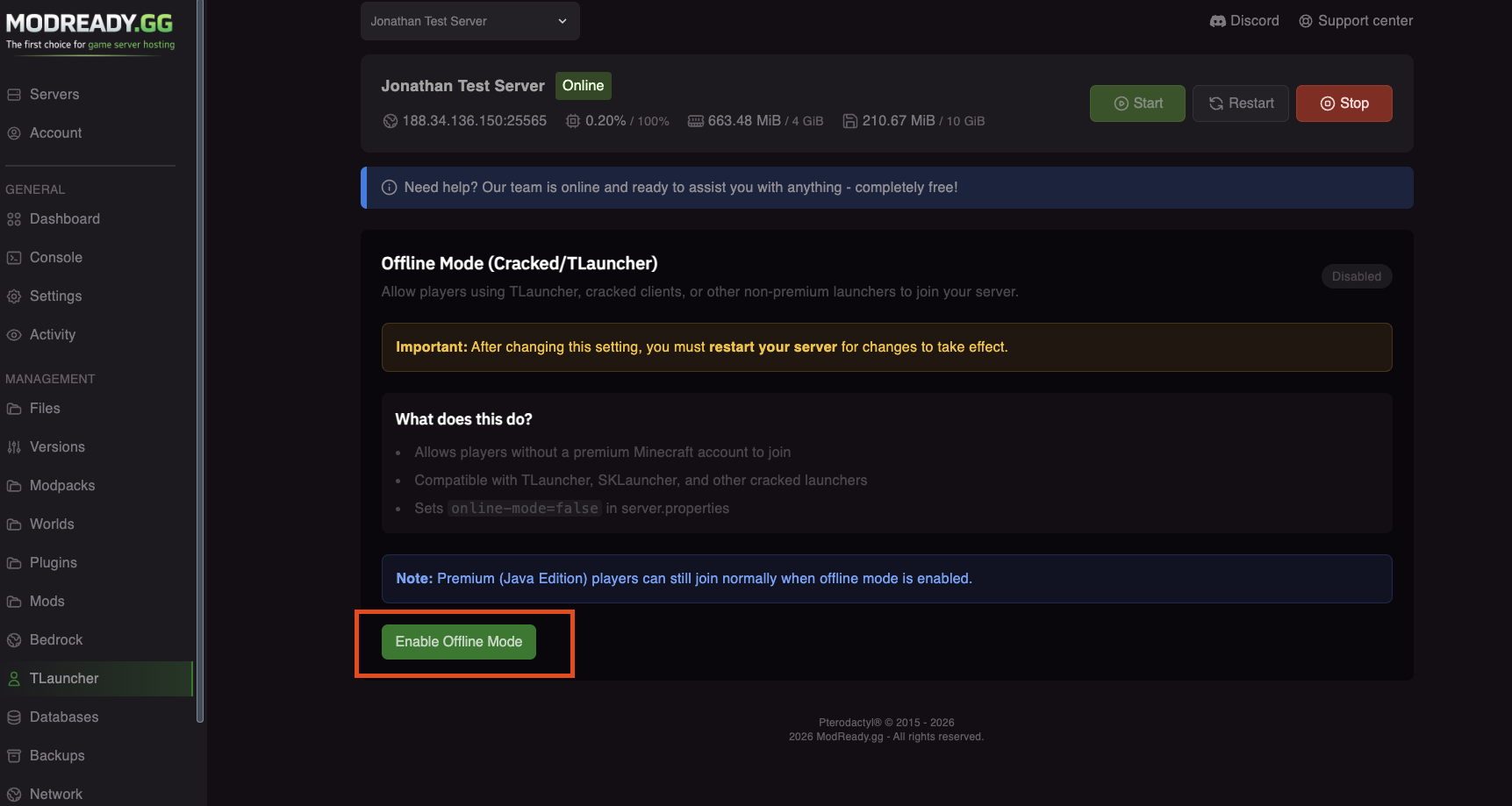
Enable Offline Mode
Click the "Enable Offline Mode" button.
-
Confirm the Change
A dialog will appear explaining what offline mode does. Click Enable to confirm.
-
Restart Your Server
Click Restart to apply the changes. The setting won't take effect until you restart!
⚠️ ImportantYou must restart your server after enabling offline mode. The change won't work until you do!
After restarting, TLauncher and other cracked launcher users can join your server.
Protect Your Server
Since anyone can join with any username, consider these security measures:
Enable Whitelist
Only allow specific players to join:
- In the server console, type:
whitelist on - Add players:
whitelist add PlayerName
Use an Auth Plugin
Require players to register and login with a password:
- AuthMe - Most popular, works with Paper/Spigot
- Login Security - Alternative option
Install via the Plugins tab in the panel.
Bedrock + Cracked Together
If you want both Bedrock crossplay (Geyser) AND cracked support:
- Enable Bedrock crossplay (install Geyser)
- Set Online Mode to
false - The Geyser plugin will automatically configure itself for offline mode
Bedrock players don't need a Java account - they use their Xbox/Microsoft account. They can join cracked servers normally.
Troubleshooting
TLauncher players still can't join
- Make sure you restarted the server after enabling offline mode
- Check the TLauncher page - it should show "Enabled" in green
- Verify in the console that it shows "Server is running in offline mode"
- Check that the player is using the correct IP and port
"Invalid session" error
- This means offline mode is not active yet
- Go to the TLauncher page and verify it shows "Enabled"
- Make sure you restarted the server after enabling
Someone stole my username!
- This is a risk of offline mode - anyone can use any name
- Use a whitelist or auth plugin to prevent this
- Consider switching back to online mode if it's a problem
Need help? Join our Discord!